The Best Audio Interfaces Under $150
How we picked: we weigh the strongest independent expert reviews, real manufacturer specs, and thousands of verified owner reviews, then name one clear pick per budget and use case. No fake lab tests, and we say plainly what we’d skip. Prices change, so we link out for today’s. Last checked 2026-07-30.
You don't need to spend a fortune to get clean, professional sound into your computer. The interfaces below cover everything from a first podcast mic to a two-person setup, and every one comes in comfortably under $150. We focused on reliable preamps, low-latency monitoring, and the connections that actually matter for a home desk.
 🦉 #1 PICK
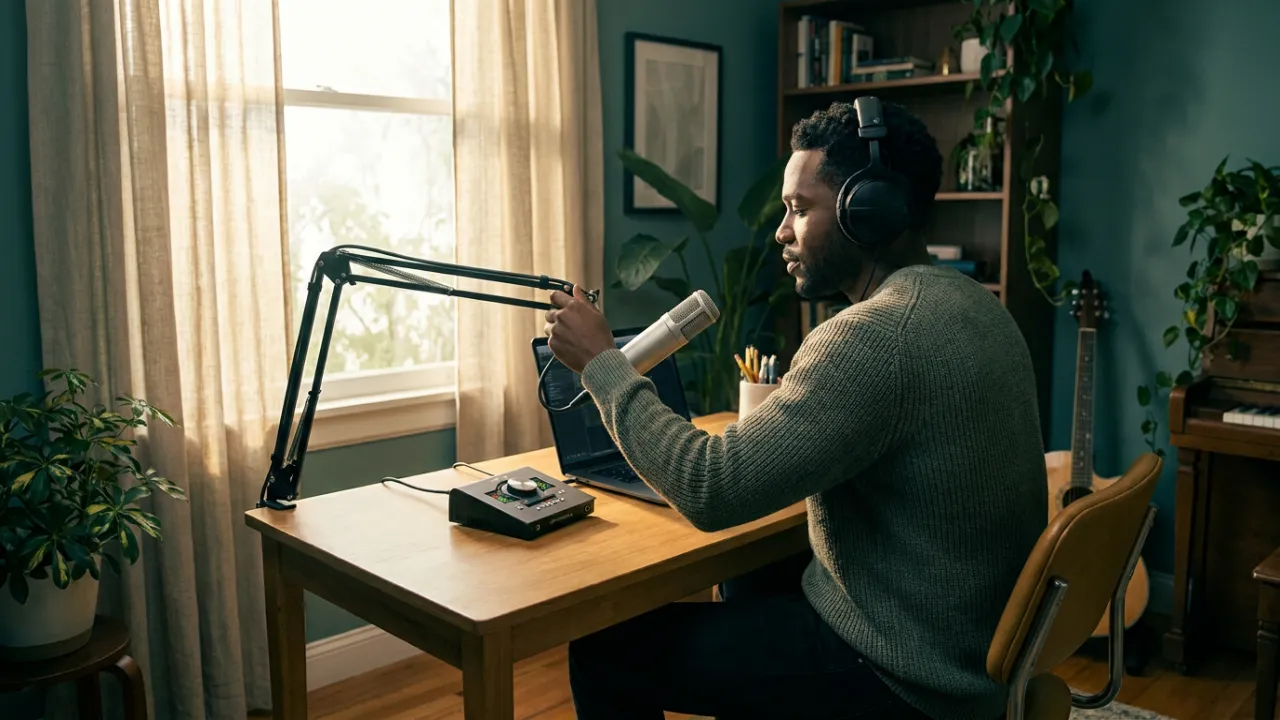
Focusrite Scarlett Solo (4th Gen)
The safe, do-everything pick if you only need one mic.
The 7 top picks
Focusrite Scarlett Solo (4th Gen)
Best overallBest for: Solo podcasters, singer-songwriters, and streamers who want one great mic input and rock-solid drivers.
The Scarlett Solo has been the default recommendation for years, and the 4th generation keeps that spot with clean preamps and Focusrite's well-supported drivers. You get one mic input and one instrument input, plus an Air mode that adds a bit of brightness for vocals. It's the interface most beginners can buy once and not outgrow for a long time.
- Clean, quiet preamp with plenty of gain
- Excellent driver stability on Mac and Windows
- Air mode adds tasteful vocal presence
- Only one XLR input, so no second mic
- No dedicated MIDI port
🦉 Owl's take: The safe, do-everything pick if you only need one mic.
Behringer U-Phoria UMC202HD
Best for 2 micsBest for: Two-person podcasts, interview setups, or anyone who needs to record two mics at once on a budget.
The UMC202HD gives you two combo inputs with Midas-designed preamps for a price that undercuts most dual-input rivals. Each channel has its own gain and phantom power switch, so it handles two condensers or a mic-and-instrument pair easily. It's a lot of capability for the money if you can live with a slightly more utilitarian feel.
- Two independent combo inputs with 48V
- Midas preamps sound clean for the price
- Direct monitoring with mix control
- Bundled software is thinner than competitors
- Uses older USB Type-B rather than USB-C
🦉 Owl's take: The cheapest honest way to record two mics well.
M-Audio M-Track Solo
Best budgetBest for: First-time recorders and tight budgets who just need one mic and one instrument line in.
The M-Track Solo is one of the least expensive interfaces worth buying, with a Crystal preamp on the XLR input and a separate line/instrument channel. It records at up to 24-bit/48kHz, which is plenty for podcasts and demos even if it won't hit the higher sample rates. For getting a mic into your computer without spending much, it does the job.
- Very affordable entry point
- Simple, beginner-friendly layout
- Phantom power for condenser mics
- Capped at 48kHz sample rate
- Plastic build feels less rugged
🦉 Owl's take: Bare-bones but dependable when every dollar counts.
Universal Audio Volt 1
Best preampBest for: Vocalists and podcasters who want a warmer, more finished sound straight off the input.
The Volt 1 brings Universal Audio's build quality and a switchable Vintage preamp mode that adds analog-style warmth to vocals and voice. It's a single-input box, so it's aimed at the solo creator rather than the two-mic setup, but the sound and metal chassis feel a step above most interfaces at this price. The included software bundle is genuinely useful too.
- Vintage mode adds real character to vocals
- Sturdy metal construction
- Strong bundled software from UA
- Single input only
- Fewer onboard controls than some rivals
🦉 Owl's take: The best-sounding single input near this budget.
PreSonus AudioBox USB 96
Best for beginnersBest for: Newcomers who want a two-input box that comes with a real DAW and learning tools.
The AudioBox USB 96 pairs two combo inputs with PreSonus's Studio One Prime software and Studio Magic bundle, so a beginner can go from unboxing to recording without buying anything extra. The metal chassis is tougher than most budget interfaces, and the straightforward controls make it easy to learn on. It's a solid all-in-one starting point for a home studio.
- Two combo inputs in a rugged metal case
- Comes with a capable free DAW and plugins
- Simple front-panel controls
- Uses older USB Type-B connection
- Interface tops out at 96kHz
🦉 Owl's take: A dual-input starter kit with the software included.
Mackie Onyx Artist 1-2
Best buildBest for: Guitarists and podcasters who want a tough, no-nonsense box with one mic and one instrument channel.
The Onyx Artist 1-2 leans on Mackie's mixer heritage with a solid metal chassis and an Onyx mic preamp that stays clean at high gain. It has one mic input and one instrument input, making it a natural fit for a vocalist-guitarist or a single-mic podcast. Direct monitoring lets you track without latency in your headphones.
- Rugged all-metal enclosure
- Clean Onyx preamp with ample headroom
- Zero-latency direct monitoring
- Only one XLR mic input
- No MIDI connectivity
🦉 Owl's take: Built like a tank for the guitar-and-vocal creator.
M-Audio M-Track Duo
Best value dual-inputBest for: Two-mic setups on a strict budget, or creators who want stereo instrument input for cheap.
The M-Track Duo is a two-channel interface at a price close to many single-input boxes, giving you two combo inputs with phantom power. It records at up to 24-bit/48kHz, which suits podcasts and voiceover well. It's a compact, inexpensive way to get two sources in without stepping up to a pricier interface.
- Two combo inputs at a very low price
- Phantom power on both channels
- Compact and bus-powered for portability
- Limited to a 48kHz sample rate
- Lightweight plastic build
🦉 Owl's take: Two inputs for barely more than a one-input price.
Compare all 7
| Pick | Best for | Inputs | Connection | Max resolution | |
|---|---|---|---|---|---|
| Focusrite Scarlett Solo (4th Gen) | Best overall | 1 XLR + 1 instrument | USB-C | 24-bit/192kHz | Check ↗ |
| Behringer U-Phoria UMC202HD | Best for 2 mics | 2 XLR/TRS combo | USB 2.0 (Type-B) | 24-bit/192kHz | Check ↗ |
| M-Audio M-Track Solo | Best budget | 1 XLR/TRS + 1 line | USB-B | 24-bit/48kHz | Check ↗ |
| Universal Audio Volt 1 | Best preamp | 1 XLR/TRS combo | USB-C | 24-bit/192kHz | Check ↗ |
| PreSonus AudioBox USB 96 | Best for beginners | 2 XLR/TRS combo | USB 2.0 (Type-B) | 24-bit/96kHz | Check ↗ |
| Mackie Onyx Artist 1-2 | Best build | 1 XLR + 1 instrument | USB 2.0 (Type-B) | 24-bit/192kHz | Check ↗ |
| M-Audio M-Track Duo | Best value dual-input | 2 XLR/TRS combo | USB-B | 24-bit/48kHz | Check ↗ |
How we choose (and why we don't fake lab tests)
Plenty of sites claim a lab they don't have. We won't. The Gear Owl reads the strongest independent expert reviews, the real manufacturer specs, and thousands of verified owner reviews, then distills them into one clear pick per budget and use case. When a product shines only in specific conditions, we say so. And we link out for live prices, because a price printed today is wrong tomorrow — you deserve the real number, not a stale one.
What we'd skip (and why)
Being honest about what not to buy is half the value of a guide. These come up a lot — we'd pass.
How to choose
How many inputs do you actually need?
If you record alone, a single mic input like the Scarlett Solo or Volt 1 is plenty. If you host a co-host, interview a guest in the same room, or want a mic and instrument at once, get a two-input box such as the UMC202HD, AudioBox USB 96, or M-Track Duo. Buying a dual input you'll never use just adds cost.
Phantom power (+48V) for condenser mics
Condenser microphones need +48V phantom power to work, so make sure the interface has a phantom switch, which all of our picks do. Dynamic mics don't need it. On two-channel boxes, check whether phantom is switched per channel or globally, since that affects mixing dynamic and condenser mics together.
USB bus power and connections
Every interface here draws power from your computer's USB port, so there's no separate power brick to carry. Newer models use USB-C while a few still use the older USB Type-B jack; either works fine, but check that you have the right cable and a free port, especially on laptops with limited connectivity.
Latency and direct monitoring
Direct (hardware) monitoring lets you hear yourself in your headphones with zero delay while recording, which is essential for comfortable vocals. All of these interfaces offer it. Good drivers also keep software latency low, which is where established brands like Focusrite and Universal Audio have an edge.
Frequently asked questions
Is an audio interface better than a USB microphone for podcasting?
An interface gives you room to grow: you can use professional XLR mics, add a second mic, and upgrade gear over time. A USB mic is simpler and fine for one person, but an interface plus an XLR mic usually sounds better and lasts longer.
Do I need phantom power?
Only if you use a condenser microphone, which requires +48V phantom power to operate. Dynamic mics don't need it. Every interface on this list has a phantom power switch, so you're covered either way.
Will these work with my laptop's USB-C port?
Yes. All of these are USB bus-powered and work with modern laptops. Some use a USB-C cable and others a USB Type-B cable. Just confirm the included cable matches your ports, or grab an adapter.
What sample rate do I need for podcasting?
24-bit/48kHz is more than enough for spoken-word podcasts, voiceover, and most home recording. Higher rates like 96kHz or 192kHz mainly benefit detailed music production and use more storage, so don't let that number alone drive your choice.
Can I record two people at once?
You need an interface with two mic inputs, such as the Behringer UMC202HD, PreSonus AudioBox USB 96, or M-Audio M-Track Duo. A single-input interface like the Scarlett Solo can only record one microphone at a time.