The Best Capture Cards for Streaming
How we picked: we weigh the strongest independent expert reviews, real manufacturer specs, and thousands of verified owner reviews, then name one clear pick per budget and use case. No fake lab tests, and we say plainly what we’d skip. Prices change, so we link out for today’s. Last checked 2026-07-31.
A capture card takes the HDMI signal from your console, camera or second PC and hands it to your streaming rig as a clean video source. The right one depends on what you play, what your streaming PC can actually encode, and whether you need lag-free passthrough to your own monitor. Below are seven cards worth your money, sorted by budget and use case.
 🦉 #1 PICK
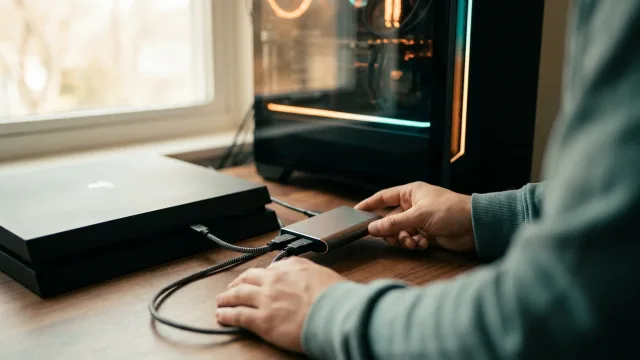
Elgato HD60 X
The safe, do-everything external card most streamers should start with.
The 7 top picks
Elgato HD60 X
Best overallBest for: Console and single-PC streamers who want a reliable, well-supported external card.
The HD60 X is the default recommendation for good reason: it captures up to 4K30 or 1080p60, and its VRR passthrough lets you keep gaming on a high-refresh monitor while it records. Software support across OBS, Elgato's own tools and third-party apps is about as mature as it gets.
- Reliable, widely-supported drivers and OBS integration
- VRR passthrough up to 4K60 / 1440p120
- Works on PC and Mac
- No standalone SD recording
- Overkill if you only ever stream 1080p
🦉 Owl's take: The safe, do-everything external card most streamers should start with.
AVerMedia Live Gamer Mini (GC311)
Best budgetBest for: First-time streamers on a tight budget who only need clean 1080p60.
If you just want to get a console onto Twitch or YouTube at 1080p60 without spending much, the Live Gamer Mini is the sensible entry point. It runs over USB 2.0, so it's slower to move data than the pricier cards, but for straight 1080p60 capture that's rarely a real-world problem.
- Very affordable
- Simple plug-and-play 1080p60 capture
- Compact and light
- USB 2.0 limits it to 1080p60 passthrough
- No 4K, no high-refresh passthrough
🦉 Owl's take: The cheapest card we'd actually trust for 1080p60.
Elgato Game Capture 4K X
Best 4KBest for: Creators capturing next-gen consoles or high-end PCs at 4K and high frame rates.
This is Elgato's flagship external card, built for people who genuinely need 4K at high frame rates. It can capture up to 4K144 and passes through very high-bandwidth signals, so you can record in 4K while still gaming on a high-refresh display. You'll need a fast USB 3.2 port and a modern PC to feed it.
- Captures up to 4K144 (4K30 in HDR)
- Extremely high-bandwidth VRR passthrough
- High-bandwidth USB 3.2 capture straight to your PC
- Demands a fast USB 3.2 port and capable PC
- Priciest external option here
🦉 Owl's take: The external card to buy when 1080p just isn't enough.
Razer Ripsaw HD
Best passthrough for high-refreshBest for: 1080p streamers who play on a high-refresh monitor and want zero-lag passthrough.
The Ripsaw HD captures a clean 1080p60 but its real trick is generous passthrough: it can pass up to 4K60 or 1080p240 to your own display, so your gameplay feel isn't compromised even though you're only recording 1080p. It also has a dedicated audio-mixing input for a headset and mic.
- High-refresh passthrough up to 1080p240
- Built-in headset/mic audio mixing
- Solid build quality
- Capture tops out at 1080p60
- Needs a USB 3.0 port to hit full framerate
🦉 Owl's take: A 1080p60 card that respects your high-refresh monitor.
Elgato Cam Link 4K
Best for camera / DSLR-to-USBBest for: Streamers who want a real camera or DSLR as a high-quality webcam.
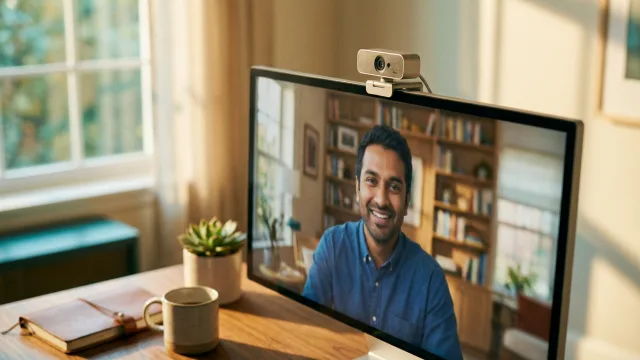
The Cam Link 4K isn't a game-capture card in the usual sense: it turns any HDMI camera, DSLR or mirrorless body into a USB webcam your software sees like any other camera. It's the standard way to get DSLR-quality video into OBS or Zoom. There's no passthrough, because that isn't its job.
- Turns HDMI cameras into a plug-and-play webcam
- 4K30 or 1080p60 input
- Tiny and travel-friendly
- No passthrough at all
- Not intended for console game capture
🦉 Owl's take: The simplest way to make a real camera your webcam.
AVerMedia Live Gamer Ultra 2.1 (GC553G2)
Best 4K alternativeBest for: 4K streamers who want a non-Elgato high-frame-rate external card.
The Live Gamer Ultra 2.1 is AVerMedia's answer for high-end capture, handling up to 4K144 capture with VRR passthrough for high-refresh play. It's a strong alternative if you'd rather not go all-in on the Elgato ecosystem, though like all 4K144 cards it wants a fast USB 3.2 connection.
- Captures up to 4K144 with HDR
- VRR passthrough for high-refresh gaming
- USB-C connectivity
- Needs a fast USB 3.2 port to reach top specs
- Software polish trails Elgato's
🦉 Owl's take: A capable 4K144 card outside the Elgato camp.
Elgato 4K60 Pro MK.2
Best internal PCIe cardBest for: Two-PC streamers who want the lowest-latency 4K capture built into their rig.
For a dedicated streaming PC, an internal PCIe card avoids USB bandwidth limits entirely. The 4K60 Pro MK.2 captures 4K60 HDR10 and passes through high-refresh, VRR-enabled signals, making it a favorite for two-PC setups. It only works in a desktop with a spare PCIe x4 slot.
- Internal PCIe means no USB bottleneck
- 4K60 HDR10 capture with VRR passthrough
- Low-latency, rock-solid for two-PC rigs
- Desktop-only, needs a free PCIe x4 slot
- No use for laptop or single-PC streamers
🦉 Owl's take: The internal pick when USB bandwidth is the bottleneck.
Compare all 7
| Pick | Best for | Max capture | Passthrough | Connection | |
|---|---|---|---|---|---|
| Elgato HD60 X | Best overall | 4K30 / 1080p60 | 4K60 HDR / 1440p120 (VRR) | USB 3.0 (USB-C) | Check ↗ |
| AVerMedia Live Gamer Mini (GC311) | Best budget | 1080p60 | 1080p60 | USB 2.0 | Check ↗ |
| Elgato Game Capture 4K X | Best 4K | 4K144 / 4K30 HDR | 4K144 VRR / 1440p240 | USB 3.2 (USB-C) | Check ↗ |
| Razer Ripsaw HD | Best passthrough for high-refresh | 1080p60 | 4K60 / 1080p240 | USB 3.0 | Check ↗ |
| Elgato Cam Link 4K | Best for camera / DSLR-to-USB | 4K30 / 1080p60 | None | USB 3.0 | Check ↗ |
| AVerMedia Live Gamer Ultra 2.1 (GC553G2) | Best 4K alternative | 4K144 / 4K60 HDR | 4K144 / 1440p240 (VRR) | USB 3.2 (USB-C) | Check ↗ |
| Elgato 4K60 Pro MK.2 | Best internal PCIe card | 4K60 HDR10 | 4K60 HDR / 1080p240 (VRR) | PCIe x4 (internal) | Check ↗ |
How we choose (and why we don't fake lab tests)
Plenty of sites claim a lab they don't have. We won't. The Gear Owl reads the strongest independent expert reviews, the real manufacturer specs, and thousands of verified owner reviews, then distills them into one clear pick per budget and use case. When a product shines only in specific conditions, we say so. And we link out for live prices, because a price printed today is wrong tomorrow — you deserve the real number, not a stale one.
What we'd skip (and why)
Being honest about what not to buy is half the value of a guide. These come up a lot — we'd pass.
How to choose
External vs. internal
External USB cards work with laptops and any PC, are easy to move between setups, and are what most streamers should buy. Internal PCIe cards slot into a desktop, sidestep USB bandwidth limits and shave latency, which matters most in dedicated two-PC streaming rigs. If you have one machine or a laptop, go external.
Passthrough and why it matters
Passthrough sends the signal straight to your own monitor with effectively no lag, so how the game feels to you isn't limited by what the card records. This is why a card can capture 1080p60 while still passing 1080p240 or 4K60 to your display. If you game on a high-refresh or VRR monitor, prioritize a card whose passthrough matches it.
Match resolution and framerate to your PC and ports
A card can only help if your streaming PC can encode the footage and your port can move it. 4K and high-frame-rate cards need a genuine USB 3.0 or faster USB 3.2 port, not USB 2.0, or they silently drop to lower specs. Be honest about what you'll actually stream: 1080p60 is plenty for most Twitch channels, and a cheaper card frees up budget elsewhere.
Frequently asked questions
Do I even need a capture card?
If you stream from a single gaming PC, software like OBS can capture the screen directly and you don't need a card. You need one to bring in an external source: a console, a camera, or a second gaming PC in a two-PC setup.
What's the difference between capture resolution and passthrough resolution?
Capture resolution is what gets recorded and streamed; passthrough is what the card sends to your own monitor. Many cards capture 1080p60 but pass through much higher resolutions and refresh rates, so your gameplay stays smooth even if you're broadcasting at 1080p.
Will a 4K capture card make my stream 4K?
Only if your whole pipeline supports it. You need a 4K source, a card that captures 4K, a fast USB 3.2 port or PCIe slot, and a PC powerful enough to encode 4K. Most viewers watch at 1080p, so many streamers capture 1080p60 even with a 4K-capable card.
Why does USB 3.0 matter?
Uncompressed and lightly-compressed high-resolution video needs a lot of bandwidth. Plugging a 4K or high-framerate card into a USB 2.0 port forces it to drop resolution or framerate. Always use a USB 3.0 (or faster) port for anything above 1080p60.
Can I use a capture card to record a PS5 or Xbox Series X?
Yes, with a caveat: those consoles enforce HDCP copy protection on some content, which blocks capture of protected apps like Netflix. Game footage captures fine, so for streaming gameplay you're covered.