The Best Stream Deck
How we picked: we weigh the strongest independent expert reviews, real manufacturer specs, and thousands of verified owner reviews, then name one clear pick per budget and use case. No fake lab tests, and we say plainly what we’d skip. Prices change, so we link out for today’s. Last checked 2026-08-01.
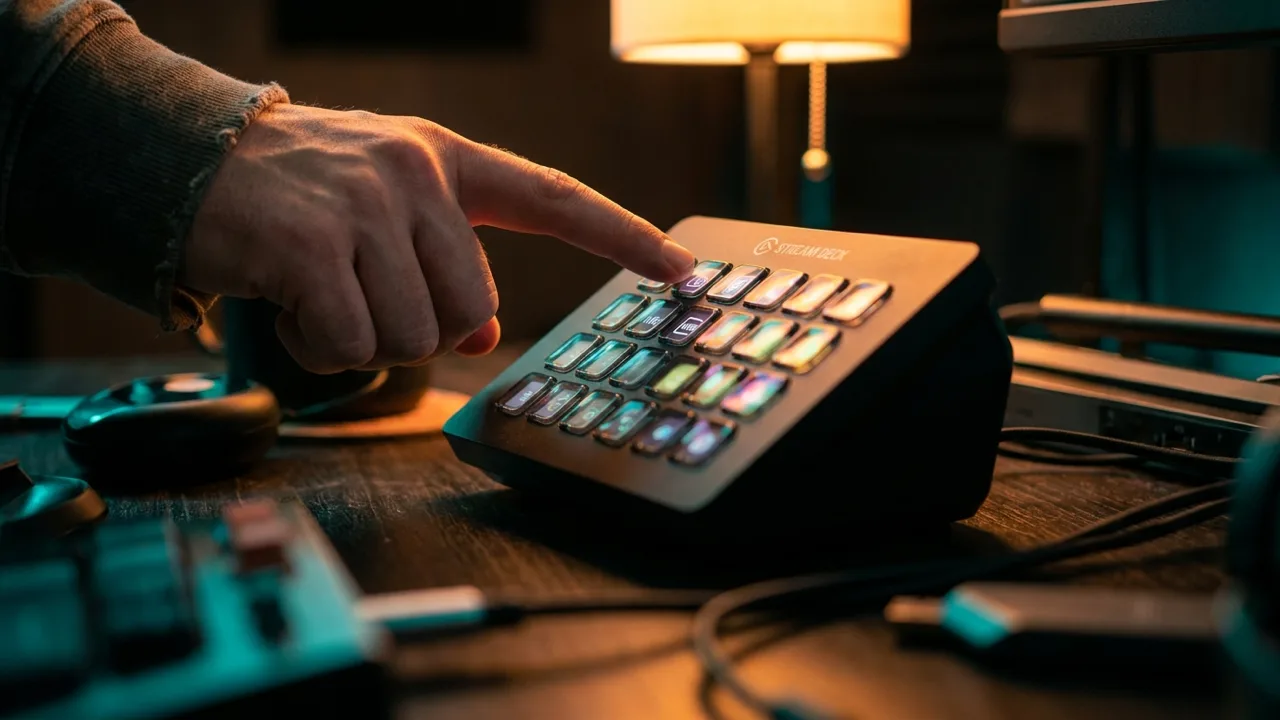
A Stream Deck is a pad of little LCD keys you program to fire anything with one tap — scene switches, mutes, sound effects, app shortcuts, even editing macros. The hardware is nice, but the software and plugin ecosystem are the real reason to buy one. The only real questions are how many keys you need and whether you want dials. Here's the whole lineup, sorted by use case and budget.
Watch the 60-second version
 🦉 #1 PICK
Elgato Stream Deck MK.2
The default Stream Deck for a reason — buy this if you're unsure.
The 6 top picks
Elgato Stream Deck MK.2
Best overallBest for: Most streamers and creators who want the standard control pad with room to grow.
The 15-key MK.2 is the one to get if you're not sure. It hits the sweet spot of enough keys for scenes, mutes and shortcuts without overwhelming you, and it has swappable faceplates and a stand. Every plugin and integration targets it first, so you'll never hit a wall.
- 15 keys: enough for real workflows, not overwhelming
- Best software and plugin support of any model
- Swappable faceplates and adjustable stand
- No dials — the Stream Deck + adds those
- Overkill if you only need a few buttons
🦉 Owl's take: The default Stream Deck for a reason — buy this if you're unsure.
Elgato Stream Deck Neo
Best for beginnersBest for: First-timers who want a cheaper way into the Stream Deck ecosystem.
The Neo is the friendly entry point: 8 LCD keys plus two touch points and a little info bar that can show the time, notifications or a page indicator. It runs the exact same software as the pricier decks, so nothing about it feels like a downgrade beyond the key count.
- Affordable entry into the ecosystem
- Info bar shows clock, notifications, page
- Same software as every other model
- Only 8 keys
- No swappable faceplate
🦉 Owl's take: The easiest, most affordable way to start.
Elgato Stream Deck Mini
Best budget & smallestBest for: People on a tight desk or budget who only need a handful of one-tap shortcuts.
The Mini is the smallest, cheapest way in: 6 LCD keys running the full software and plugin ecosystem. If you mostly want mute, scene switch and a couple of shortcuts, it does the job and disappears into a corner of the desk.
- Cheapest and smallest option
- Full software and plugin support
- Great secondary or travel deck
- Only 6 keys
- You'll want more once you're hooked
🦉 Owl's take: The cheapest real Stream Deck — perfect for a few key shortcuts.
Elgato Stream Deck +
Best for audio & fine controlBest for: Creators who ride audio levels, scrub video, or want physical dials, not just buttons.
The Stream Deck + adds four rotary dials and a touch strip beneath its 8 keys. That makes it the pick if you adjust things continuously — mic and game levels, camera settings, timeline scrubbing in your editor. The dials are what a plain key grid can't do.
- 4 dials + touch strip for continuous control
- Ideal for audio mixing and video editing
- Same great software plus dial actions
- Pricier than the MK.2
- Fewer keys (8) than the MK.2's 15
🦉 Owl's take: The one to get if you adjust audio or video, not just trigger it.
Elgato Stream Deck XL
Best for power usersBest for: Advanced streamers and pros who want everything visible at once with no folders.
The XL packs 32 keys in an 8x4 grid, so complex setups fit on one screen without paging through folders. If you run elaborate scenes, a big soundboard, or a full production, the extra real estate stops the constant navigation. Most people don't need it, but power users love it.
- 32 keys — everything on one screen
- No folder-hopping for big layouts
- Built-in adjustable stand
- Big footprint and higher price
- Overkill for most creators
🦉 Owl's take: Buy this only if you've genuinely outgrown 15 keys.
Elgato Stream Deck Pedal
Best hands-free add-onBest for: People who want to trigger things with their feet while their hands stay busy.
The Pedal is three programmable foot switches with no screen — push-to-talk, mute, a scene change or a recording start while your hands stay on the keyboard or an instrument. It's a companion to a regular Stream Deck, not a replacement, but for hands-free triggers it's genuinely useful.
- Hands-free push-to-talk and triggers
- Adjustable pedal resistance
- Pairs with any Stream Deck setup
- No screens or labels
- Only 3 actions; it's an add-on
🦉 Owl's take: A foot-controlled add-on, not a first Stream Deck.
Compare all 6
| Pick | Best for | Keys | Dials & touch | Best for | |
|---|---|---|---|---|---|
| Elgato Stream Deck MK.2 | Best overall | 15 LCD | None | Everyday streaming & shortcuts | Check ↗ |
| Elgato Stream Deck Neo | Best for beginners | 8 LCD | Touch points + info bar | Getting started | Check ↗ |
| Elgato Stream Deck Mini | Best budget & smallest | 6 LCD | None | Tight desks & budgets | Check ↗ |
| Elgato Stream Deck + | Best for audio & fine control | 8 LCD | 4 dials + touch strip | Audio & fine control | Check ↗ |
| Elgato Stream Deck XL | Best for power users | 32 LCD | None | Big layouts & pros | Check ↗ |
| Elgato Stream Deck Pedal | Best hands-free add-on | 3 foot pedals | None | Hands-free triggers | Check ↗ |
How we choose (and why we don't fake lab tests)
Plenty of sites claim a lab they don't have. We won't. The Gear Owl reads the strongest independent expert reviews, the real manufacturer specs, and thousands of verified owner reviews, then distills them into one clear pick per budget and use case. When a product shines only in specific conditions, we say so. And we link out for live prices, because a price printed today is wrong tomorrow — you deserve the real number, not a stale one.
What we'd skip (and why)
Being honest about what not to buy is half the value of a guide. These come up a lot — we'd pass.
How to choose
How many keys do you actually need?
Six (Mini) covers mute, scene switch and a couple of shortcuts. Eight (Neo) adds a little breathing room. Fifteen (MK.2) is the sweet spot most people settle on. Thirty-two (XL) is for elaborate productions. When in doubt, the MK.2 is the safe pick.
Keys vs dials — is the Stream Deck + worth it?
If you continuously adjust things — mic and game levels, camera exposure, scrubbing a video timeline — the four dials on the Stream Deck + do what a grid of buttons can't. If you mostly trigger things with one tap, save money and get the MK.2.
Try it free first with Stream Deck Mobile
Elgato's Stream Deck Mobile app turns a phone or tablet into a virtual Stream Deck for a small subscription. It's a low-risk way to feel whether one-tap control fits your workflow before you buy the hardware — and most people who try it end up wanting the physical keys.
Frequently asked questions
What is a Stream Deck used for?
A Stream Deck is a pad of programmable LCD keys that trigger actions with one tap: switching scenes, muting your mic, firing sound effects, launching apps, running editing macros and more. Streamers love it, but editors, podcasters and office workers use it for shortcuts too.
Which Stream Deck should a beginner get?
Start with the Stream Deck Neo (8 keys, the cheapest full-featured entry) or the MK.2 (15 keys, the do-everything standard). Both run the same software; the MK.2 just gives you more room to grow.
Do you need a Stream Deck to stream?
No — you can stream with hotkeys alone. A Stream Deck saves time and mistakes by putting labeled, one-tap controls in front of you, which matters most once your setup gets complicated.
Does a Stream Deck work for more than streaming?
Yes. It's great for video-editing shortcuts, app launching, meeting mute, smart-home control and general productivity. Many buyers never stream at all.
Is the Stream Deck + worth it over the MK.2?
It is if you adjust audio or video levels continuously — the four dials and touch strip do things a key grid can't. If you mainly trigger actions with one press, the MK.2 gives you more keys for less money.