The Best Back-to-School Tech for Students
How we picked: we weigh the strongest independent expert reviews, real manufacturer specs, and thousands of verified owner reviews, then name one clear pick per budget and use case. No fake lab tests, and we say plainly what we’d skip. Prices change, so we link out for today’s. Last checked 2026-07-30.
The right gear makes online classes clearer, study sessions calmer, and your coursework a lot harder to lose. We pulled the standout picks from our creator and home-office guides and reframed them for student life and a student budget — a sharper camera for lectures, headphones that help you focus, and a backup drive so a dead laptop never costs you a semester. Here are six that earn a spot in the bag.
 🦉 #1 PICK
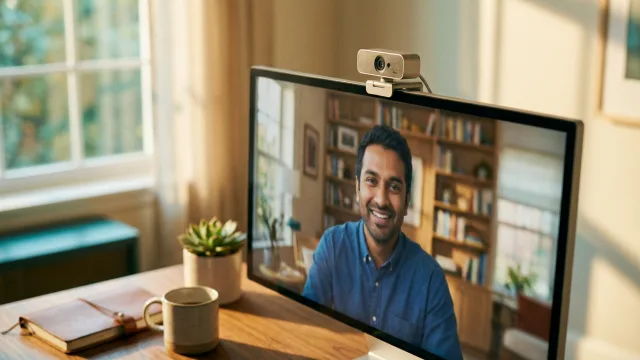
Logitech C920s HD Webcam
The one upgrade that makes you show up sharp in every online class.
The 6 top picks
Logitech C920s HD Webcam
Best for online classesBest for: Students who join lectures, seminars, and study groups on camera and want to look clear and present.
Laptop cameras make you look washed-out and low-res in every class. The C920s is the reliable fix — clean, well-exposed 1080p, steady autofocus, and a physical privacy shutter for a shared dorm room. It just works on Zoom, Teams, and Google Meet with no fiddling.
- Clear, well-lit 1080p on any call app
- Physical privacy shutter for shared rooms
- Plug-and-play on Windows and Mac
- Locked to 30fps at 1080p
- Autofocus can hunt in a dim dorm
🦉 Owl's take: The one upgrade that makes you show up sharp in every online class.
Audio-Technica ATH-M20x
Best budget for focusBest for: Students who need affordable, comfortable headphones to lock into lectures and study without distractions.
Cheap earbuds leak sound and fatigue your ears over a three-hour study block. The M20x gives you real over-ear isolation and clean, balanced sound for the price of a couple textbooks. Comfortable enough to wear through a full library session.
- Strong passive isolation for study
- Comfortable over long sessions
- Balanced sound that isn't tiring
- Fixed, non-detachable cable
- Wired only, no Bluetooth
🦉 Owl's take: Legit closed-back focus headphones for near-throwaway money.
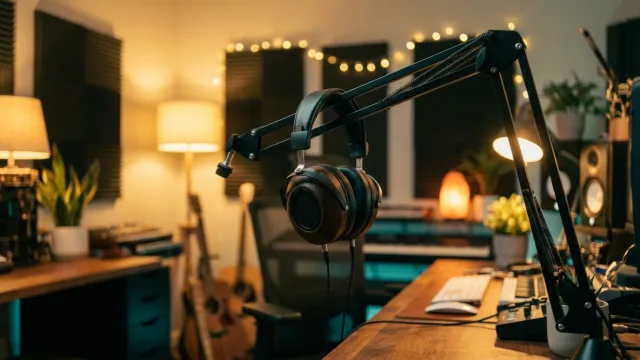
Samson Q2U
Best for presentations & recordingBest for: Students who record presentations, join oral exams, or start a podcast or study channel on the side.
Built-in mics make you sound distant and echoey in a recorded presentation. The Q2U is a dynamic USB mic that sounds close and clear, ignores dorm-room noise, and doubles as XLR if you grow into a bigger setup later. Headphone jack included for zero-latency monitoring.
- Clear dynamic sound that ignores room noise
- USB and XLR in one mic
- Headphone monitoring built in
- Needs a small stand or arm to sit right
- Not the most detailed for music vocals
🦉 Owl's take: Broadcast-clean audio for class recordings and side projects, cheap.
Logitech Signature M650
Best everyday campus mouseBest for: Students who want a quiet, comfortable wireless mouse for the library, lectures, and long writing days.
A trackpad is fine until you're editing a 20-page paper. The M650 is a comfortable, quiet-click wireless mouse with long battery life and both Bluetooth and a USB receiver, so it pairs with almost any laptop. Silent clicks keep you from annoying the whole quiet floor.
- Silent clicks for shared quiet spaces
- Bluetooth or USB receiver
- Months of battery per charge
- Not built for competitive gaming
- Medium-to-large hands fit best
🦉 Owl's take: A quiet, comfy mouse that makes long assignments less of a grind.
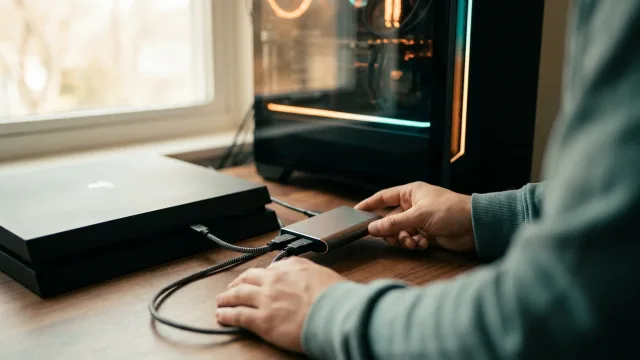
Samsung T7 Shield Portable SSD
Best backup for courseworkBest for: Every student who would lose real work if their laptop died the night before a deadline.
A dead laptop shouldn't cost you a semester. The rugged, pocket-sized T7 Shield backs up your whole coursework fast over USB-C and shrugs off the drops and spills of bag life. Set a weekly backup and stop gambling with your GPA.
- Fast USB-C backups
- Rugged, water- and drop-resistant
- Tiny enough to live in your bag
- Costs more per GB than a hard drive
- Easy to misplace because it's so small
🦉 Owl's take: Cheap insurance against the worst week of the semester.
Dell S2722QC 4K USB-C Monitor
Best dorm-desk monitorBest for: Students who write, research, and study for hours and want more screen than a laptop lid.
Two documents side by side beats endless tab-flipping when you're writing from sources. This 27-inch 4K panel charges your laptop over a single USB-C cable, so your desk stays clean and your battery stays full. A genuine focus and posture upgrade for a dorm setup.
- Sharp 27-inch 4K for side-by-side work
- Charges the laptop over one USB-C cable
- Built-in speakers save desk space
- A big footprint for a small dorm desk
- Not aimed at fast-motion gaming
🦉 Owl's take: One cable, twice the screen, far less hunching over a laptop.
Compare all 6
| Pick | Best for | Category | Works with | Standout | |
|---|---|---|---|---|---|
| Logitech C920s HD Webcam | Best for online classes | Webcam | Windows / Mac | Privacy shutter | Check ↗ |
| Audio-Technica ATH-M20x | Best budget for focus | Headphones | 3.5mm / adapter | Isolation | Check ↗ |
| Samson Q2U | Best for presentations & recording | Microphone | USB / XLR | Dynamic capsule | Check ↗ |
| Logitech Signature M650 | Best everyday campus mouse | Mouse | Bluetooth / USB | Silent clicks | Check ↗ |
| Samsung T7 Shield Portable SSD | Best backup for coursework | Storage | USB-C | Rugged build | Check ↗ |
| Dell S2722QC 4K USB-C Monitor | Best dorm-desk monitor | Monitor | USB-C / HDMI | One-cable USB-C | Check ↗ |
How we choose (and why we don't fake lab tests)
Plenty of sites claim a lab they don't have. We won't. The Gear Owl reads the strongest independent expert reviews, the real manufacturer specs, and thousands of verified owner reviews, then distills them into one clear pick per budget and use case. When a product shines only in specific conditions, we say so. And we link out for live prices, because a price printed today is wrong tomorrow — you deserve the real number, not a stale one.
What we'd skip (and why)
Being honest about what not to buy is half the value of a guide. These come up a lot — we'd pass.
How to choose
Start with the camera and the mic
The two things classmates and professors actually notice on a call are how you look and how you sound. A solid 1080p webcam and a clear USB mic do more for your presence than anything else on this list, and both start cheap.
Protect your work before you need to
The most expensive gear failure in college isn't the laptop — it's the unsaved work on it. A small portable SSD (or a cheap external hard drive) plus a cloud copy means a dead machine is an annoyance, not a disaster. Set a weekly reminder to back up.
Buy for four years, not one semester
Cheap gear that breaks by midterms costs more than the durable pick you buy once. Prioritize the well-supported, repairable options — replaceable earpads, one-cable docking, drives with long warranties — and most of this kit carries right through graduation and into your first work-from-home desk.
Frequently asked questions
What tech do I actually need for college in 2026?
Beyond a laptop, the highest-impact additions are a 1080p webcam for online classes, a comfortable pair of over-ear headphones for focus, and a backup drive so you never lose coursework. A USB mic and a second monitor are worthwhile upgrades if you present or write a lot.
What's the best budget back-to-school tech?
The Audio-Technica ATH-M20x headphones and a Logitech C920s webcam cover the essentials affordably, and a Samsung T7 Shield or a basic external hard drive protects your work. Together they're a modest spend that upgrades every class and study session.
Do I need a webcam if my laptop already has one?
For occasional calls, the built-in cam is fine. If you're on camera daily for lectures, seminars, or study groups, a dedicated 1080p webcam like the C920s looks noticeably clearer and more professional, with steadier focus and better exposure.
How should a student back up their coursework?
Keep two copies: a cloud sync (like your school's OneDrive or Google Drive) plus a physical backup on a portable SSD or external hard drive. If one fails or fills up, the other saves you. Back up at least weekly, and before any big deadline.
Is a second monitor worth it in a dorm?
If you write from sources or research for hours, yes — side-by-side windows cut constant tab-switching and reduce hunching over a laptop. A USB-C monitor that charges your laptop over one cable keeps a small dorm desk uncluttered.